How to Easily Get Faster next.js Development Server with Turbopack
Table of Contents
What is Turbopack
Turbopack is an incremental bundler optimized for JavaScript and TypeScript, written in Rust by the creators of webpack and Next.js
Motivation for Turbopack
The motivation behind TurboPack is to address the limitations of Webpack in handling large applications and incremental builds. TurboPack introduces a new architecture to optimize cache validation and improve build efficiency
How to Use Turbopack
You simply add --turbo to your dev script in package.json as follows
before turopack
"dev" : "next dev"
with turbopack
"dev" : "next dev --turbo"
Turbopack Status for next.js 14
- 5,000 tests passing for App & Pages Router
- 53% faster local server startup
- 94% faster code updates with Fast Refresh
This benchmark is a practical result of performance improvements you should expect with a large application (and large module graph). With 90% of tests for next dev now passing, you should see faster and more reliable performance consistently when using next dev --turbo.
Once we hit 100% of tests passing, we'll move Turbopack to stable in an upcoming minor release. We'll also continue to support using webpack for custom configurations and ecosystem plugins
Repository
turbopack-next.js-playgroundInstallation
npm i
Usage
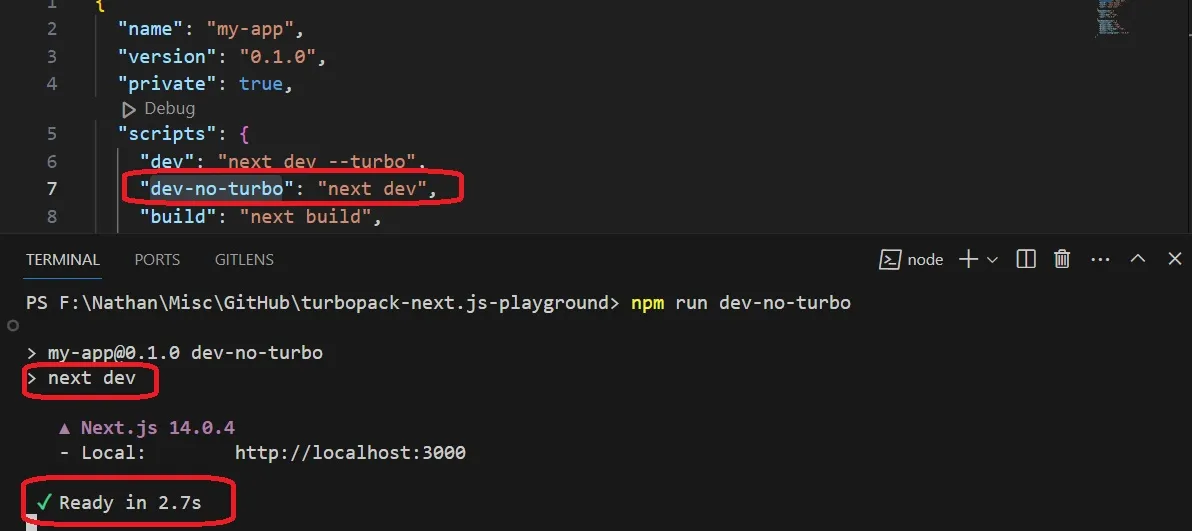
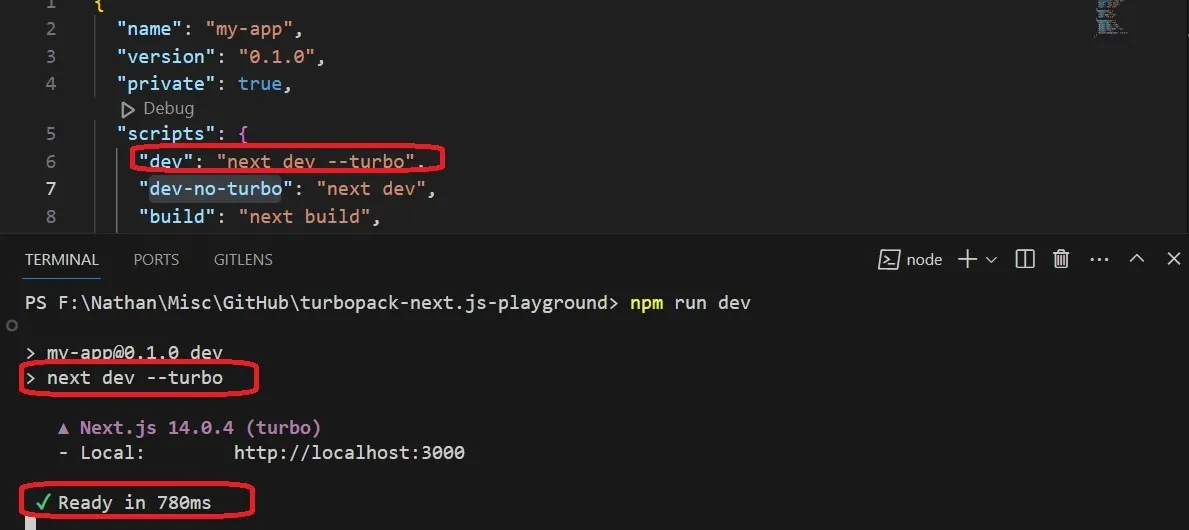
run with turbopack
npm run dev
run without turbo
npm run dev-no-turbo
Performance
After a few runs, it is stabilizing to these values. In this sample for turbopack the dev server is ready after 780s. Without turbopack, the dev server is ready after 2.7 seconds. Thus, x3 better with turbopack for this repository
with turbo
without turbo